
Applications of Industrial Touch Monitors in Smart Agriculture Equipment: HWAINTEK HP11X Series
1. Why Do Smart Agricultural Equipment Systems Need Industrial Touch Monitors?
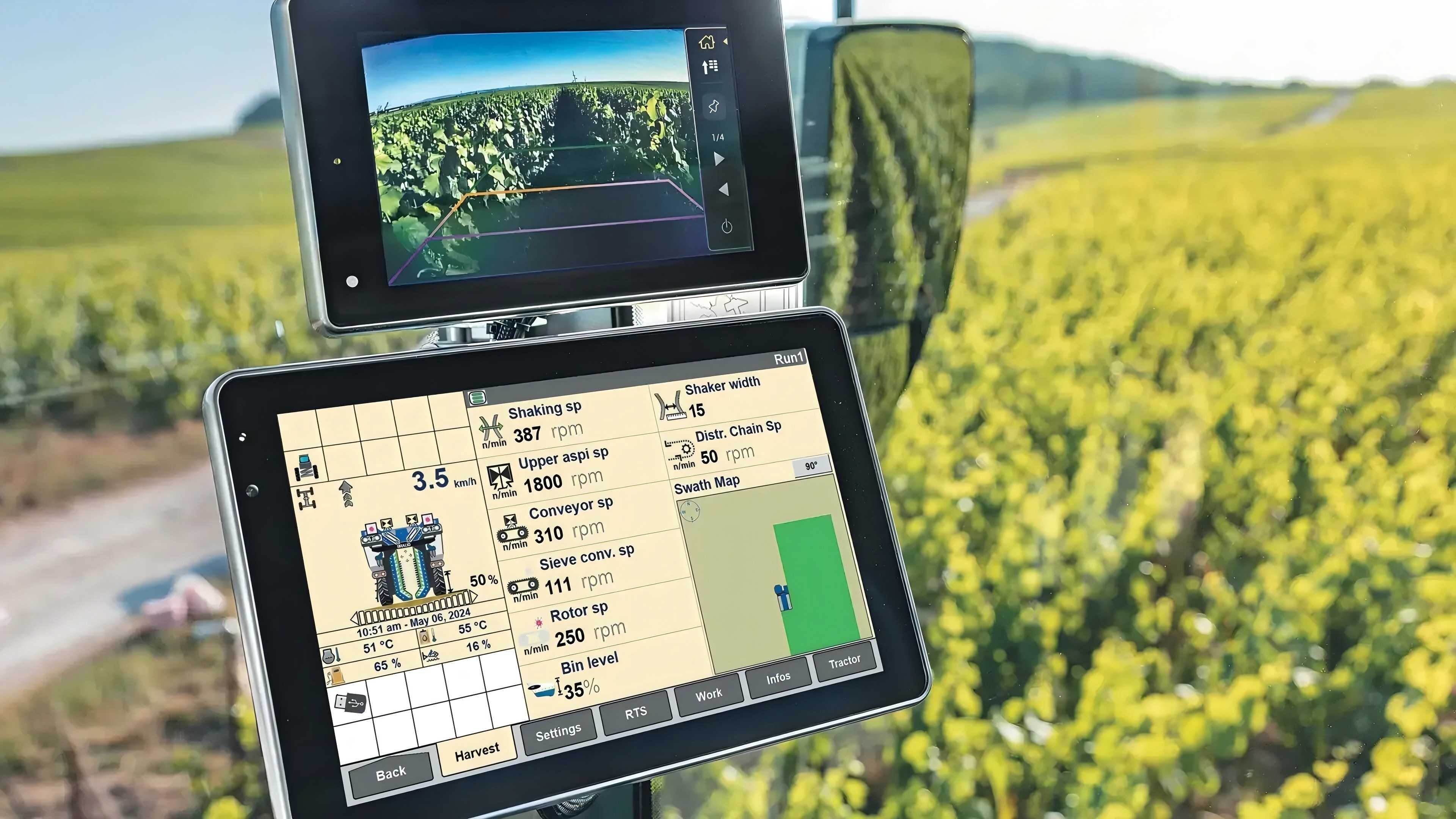
As agricultural mechanization and automation continue to advance, more agricultural equipment incorporates functions for data display, equipment status monitoring, and on-site operation. From automated farming machinery to agricultural information collection terminals, operators need clear and intuitive displays to monitor equipment status and access relevant information.
In these applications, industrial touch monitors do more than display information. They also provide a direct touch interface for operators. Compared with standard commercial displays, industrial touch monitors are designed with greater consideration for equipment integration and on-site operating requirements, making them suitable for a range of industrial and agricultural applications.
The HWAINTEK HP11X Series offers multiple screen sizes and touch technologies. These options allow equipment manufacturers to select a suitable display based on installation space, operating methods, and system configuration, providing a flexible display solution for smart agricultural equipment.
2. Applications of Industrial Touch Monitors in Smart Agriculture
2.1 Agricultural Machinery Operation and Status Display
In automated seeding, fertilizing, irrigation, and other agricultural machinery, operators need to monitor equipment status, operating parameters, and work information. Industrial touch monitors can present this information in a centralized interface, helping operators understand equipment conditions and perform relevant operations through touch input.
For agricultural machinery integrated with a control system, a standalone industrial touch monitor can work with an external computer or controller to display operating interfaces and real-time data, depending on the system configuration.
2.2 Agricultural Information Collection and On-Site Data Display
Smart agricultural equipment processes information from various sources, including environmental monitoring data, equipment operating information, and work records. Industrial touch monitors can serve as on-site information display terminals, allowing operators to review collected data, check equipment status, and interact with the system when needed.
For example, in agricultural information collection equipment, a monitor can display sensor readings or monitoring interfaces. Data processing, analysis, and control functions are handled by the external host computer and associated software.
2.3 Meeting the On-Site Requirements of Agricultural Equipment
Agricultural equipment varies in installation space and operating environment. Some machines require compact display panels, while others need larger screens to present multiple sets of information. Screen size, touch technology, mounting structure, and interface configuration are therefore important considerations during equipment design.
Choosing a suitable industrial touch monitor helps equipment manufacturers integrate display functions into existing equipment while maintaining operational convenience and an appropriate overall design.
3. Key Features of the HWAINTEK HP11X Series Industrial Touch Monitors
3.1 Multiple Screen Sizes for Flexible Integration
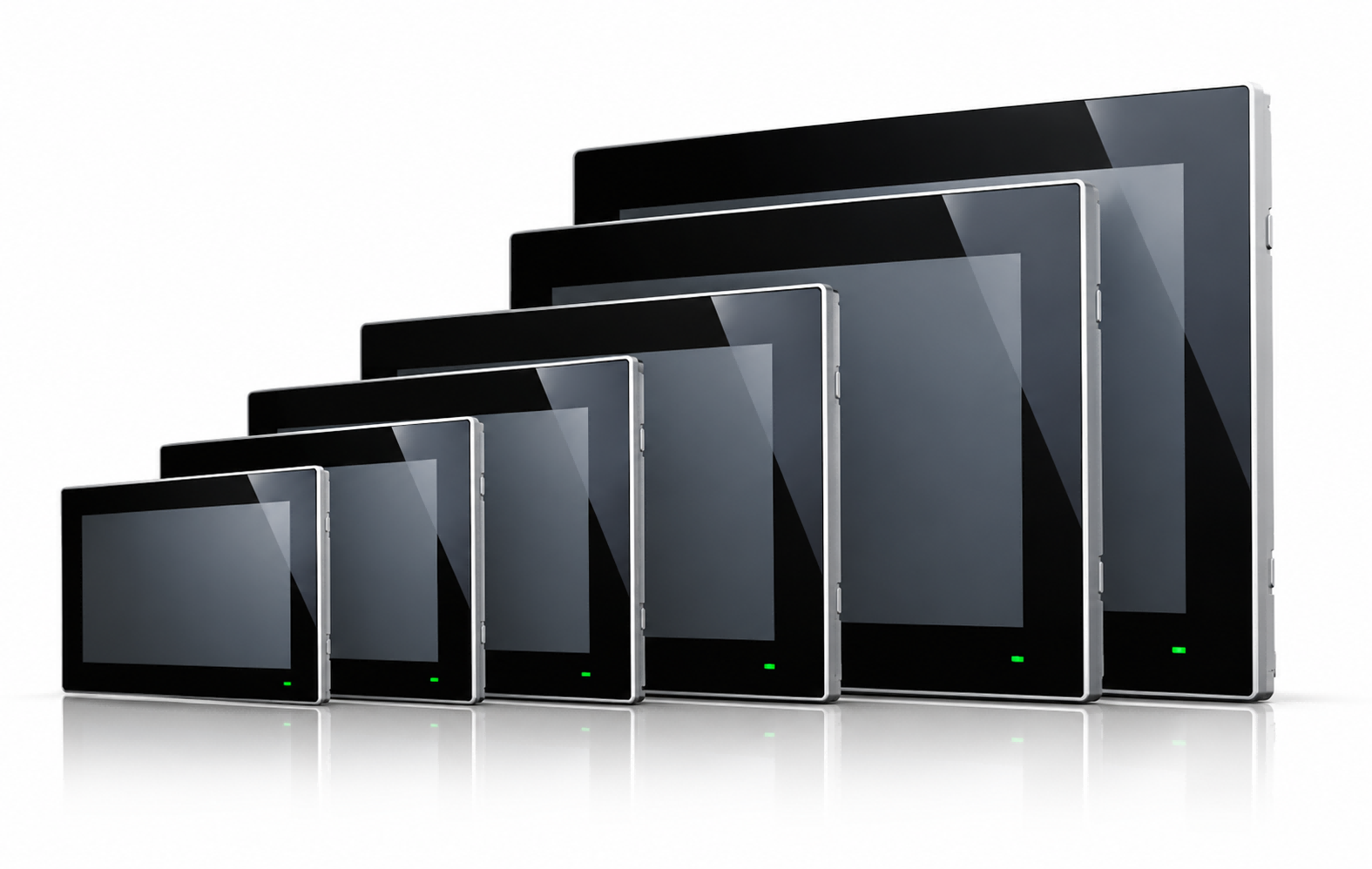
The HP11X Series is available in 10.1", 12.1", 15.6", 17", 19", and 21.5" screen sizes. This range allows manufacturers to select a display according to panel space, the amount of information to be displayed, and the intended viewing distance.
Smaller displays may be suitable for agricultural equipment with limited installation space, while larger screens can be considered when operators need to view more operating information at once.
3.2 Capacitive and Resistive Touch Options
The HP11X Series offers two touch options: the HP11X-AC capacitive touch monitor and the HP11X-AR resistive touch monitor.
The HP11X-AC supports 10-point multi-touch and features an anti-glare (AG) surface treatment, making it suitable for applications that require multi-touch operation. The HP11X-AR uses resistive touch technology and can be considered according to the equipment's operating method and application requirements.
Equipment manufacturers can select the appropriate touch technology based on operator habits, interface design, and actual working conditions.
3.3 Fanless Design and IP65 Front-Panel Protection
The HP11X Series features a fanless design, reducing reliance on active cooling and making integration into different types of agricultural machinery and industrial equipment more convenient.
The series also features IP65 front-panel protection. This can help meet relevant front-panel dust and water protection requirements when designing equipment. However, IP65 front-panel protection does not mean the entire monitor is rated IP65, nor does it automatically indicate suitability for high-pressure washing or prolonged outdoor exposure. Actual environmental suitability should be confirmed in the datasheet for the selected model.
3.4 Flexible Connection to External Hosts and Control Systems
The HP11X Series consists of standalone industrial touch monitors that primarily provide visual output and touch input. Computing, data processing, and control tasks are handled by the connected host computer or control system.
This configuration is suitable for agricultural equipment where the display and computing platform need to be configured separately. Manufacturers can select the appropriate host, software, and control system according to application requirements and integrate the monitor into the overall equipment design. Specific interface configurations should be verified in the datasheet for the selected model.
4. HP11X Series Specifications Overview
The HP11X Series offers both capacitive and resistive touch options to meet different equipment operating requirements. The following table summarizes the main differences between the two models.
| Model | Touch Technology | Available Screen Sizes | Key Features |
| HP11X-AC | Capacitive | 10.1", 12.1", 15.6", 17", 19", 21.5" | Supports 10-point multi-touch and features an AG anti-glare surface treatment |
| HP11X-AR | Resistive | 10.1", 12.1", 15.6", 17", 19", 21.5" | Provides a resistive touch solution for different equipment operating requirements |
4.1 How to Select an HP11X Monitor for Your Equipment
When designing agricultural equipment, screen size is only one factor to consider. Display content, operating methods, installation space, and the actual working environment should also be taken into account.
For applications requiring multi-touch functionality, the HP11X-AC may be worth considering. For equipment designed around resistive touch technology, the HP11X-AR is another option to evaluate. Equipment manufacturers should also confirm mounting dimensions, interface configuration, and power requirements in advance to avoid integration issues later.
Agricultural equipment may operate in environments with dust, moisture, and temperature variations. Manufacturers should verify the required protection level and operating temperature range against the actual working conditions rather than relying on a single product feature to determine suitability.
4.2 Additional Product Features and Application Considerations
In addition to touch technology and screen size, cooling design, front-panel protection, and touch signal input are also important considerations when integrating an industrial touch monitor.
| Specification | Product Feature | Relevance to Agricultural Equipment Integration |
| Cooling Design | Fanless design | Supports integration into different types of agricultural machinery and automated equipment |
| Front-Panel Protection | IP65 | Helps meet relevant front-panel dust and water protection requirements, subject to the actual operating environment |
| Touch Signal Input | USB / Serial Port | Allows the touch signal connection to be selected according to system configuration |
| Screen Sizes | Multiple sizes available | Supports selection based on installation space and display requirements |
| Touch Options | Capacitive and resistive | Allows selection according to operating methods and application needs |
| Application Focus | Agricultural information collection and display | Can be used to present equipment operating information and collected data |
Specification note: The information above provides a series-level overview, and actual configurations may vary by model. IP65 applies to the front panel and does not mean the entire monitor is rated IP65. For detailed information on resolution, brightness, display interfaces, power requirements, operating temperature, and mounting dimensions, please refer to the datasheet for the specific model on the HWAINTEK website.
5. Choosing the Right Industrial Touch Monitor for Smart Agricultural Equipment
5.1 Select the Screen Size Based on Display Content and Installation Space
For equipment that displays only a limited amount of status information, a smaller monitor may be sufficient. If the interface needs to present multiple data areas, equipment status, and operating controls simultaneously, a larger screen may be more suitable. Panel cutout dimensions, installation space, and the overall equipment structure should also be checked.
5.2 Choose Touch Technology Based on Operating Requirements
Capacitive and resistive touch technologies serve different application needs. For applications requiring multi-touch operation, the HP11X-AC supports 10-point multi-touch. For other operating requirements, the HP11X-AR can be evaluated according to the intended use. The final choice should take operator habits, interface design, and site conditions into account.
5.3 Verify Interfaces, Mounting Structure, and Environmental Requirements
Before selecting a model, confirm that the display interfaces, touch signal input, power requirements, and mounting dimensions match the equipment design. Temperature, protection, and other environmental requirements should also be checked against actual operating conditions. Front-panel protection alone should not be used to determine whether the entire monitor is suitable for a particular environment.
Verifying these requirements early can help reduce adjustments caused by interface or mounting incompatibilities during equipment integration.
6. Conclusion: Flexible Display Solutions for Smart Agricultural Equipment
As smart agricultural equipment continues to develop, on-site information display and touch operation are becoming increasingly important aspects of equipment design. A suitable industrial touch monitor helps manufacturers present operating information more clearly while providing operators with a convenient interface.
The HWAINTEK HP11X Series offers multiple screen sizes, capacitive and resistive touch options, a fanless design, and IP65 front-panel protection. These features allow manufacturers to evaluate different configurations according to their agricultural equipment integration requirements.
If you are developing agricultural machinery, agricultural information collection equipment, or other automated systems, explore the HWAINTEK HP11X Series and consult the datasheet for the specific model to confirm its suitability for your application.