
What Is a Hardware Watchdog Timer in an Industrial PC?
A hardware watchdog timer (WDT) is an independent timing circuit used to monitor the operation of an industrial PC. It checks whether the system sends a regular signal within a configured time window. If the signal does not arrive, the watchdog detects a timeout and can trigger a configured recovery action, usually a hardware reset.
Unlike a software process that depends on the operating system, a hardware watchdog uses its own timing mechanism. This gives an industrial PC an additional way to respond when the main system becomes unresponsive. It can be especially useful in equipment or remote installations where immediate manual intervention is difficult.
This article explains how an industrial PC watchdog works, how hardware and software watchdogs differ, and where watchdog support fits into an industrial reliability design.
1. What Is a Hardware Watchdog Timer?
1.1 How the watchdog monitors system operation
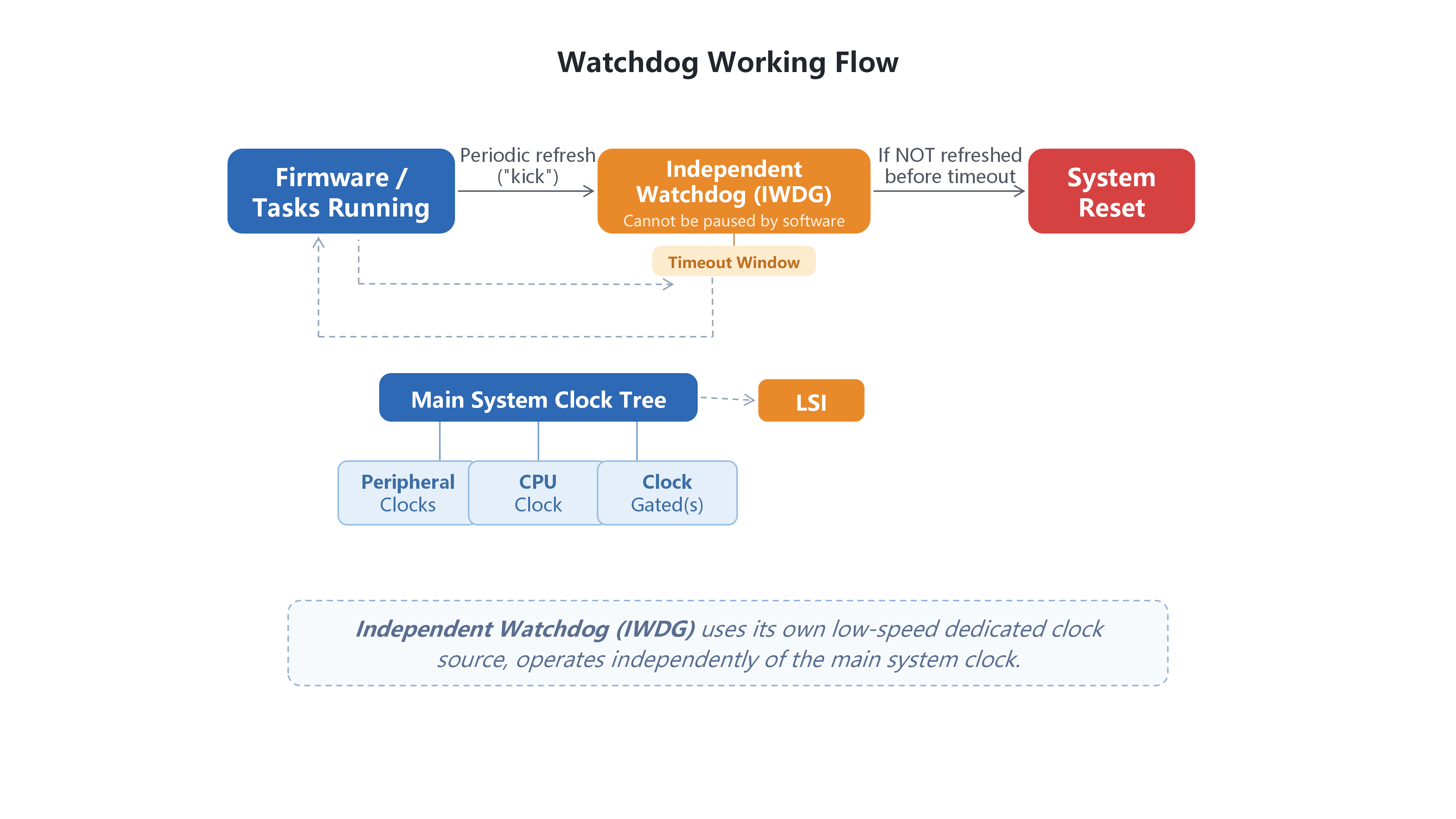
A hardware watchdog timer runs a countdown using its own timing source. Depending on the platform, the watchdog function may be implemented through a dedicated component or integrated into the system board. The operating system or an application must send a periodic signal before the countdown expires. This is commonly called feeding or servicing the watchdog. Each valid signal refreshes the timer.
The watchdog does not inspect memory, analyze system logs or identify the root cause of a fault. Its basic task is to check whether the expected signal arrives on time. If the signal is missing or late, it registers a timeout.
1.2 Why an industrial PC may need a watchdog
Industrial PCs are often installed inside control cabinets, production equipment or remote facilities. If a computer stops responding, a technician may need to visit the site to restart it. This can interrupt data collection, machine operation or communication with other equipment.
A hardware watchdog provides an additional recovery mechanism for certain system lock-ups. Its effectiveness depends on the watchdog circuit, the feed logic and the reset path supported by the specific platform. It is one part of a reliability design, rather than a solution for every possible failure.
2. How Does a Hardware Watchdog Work?
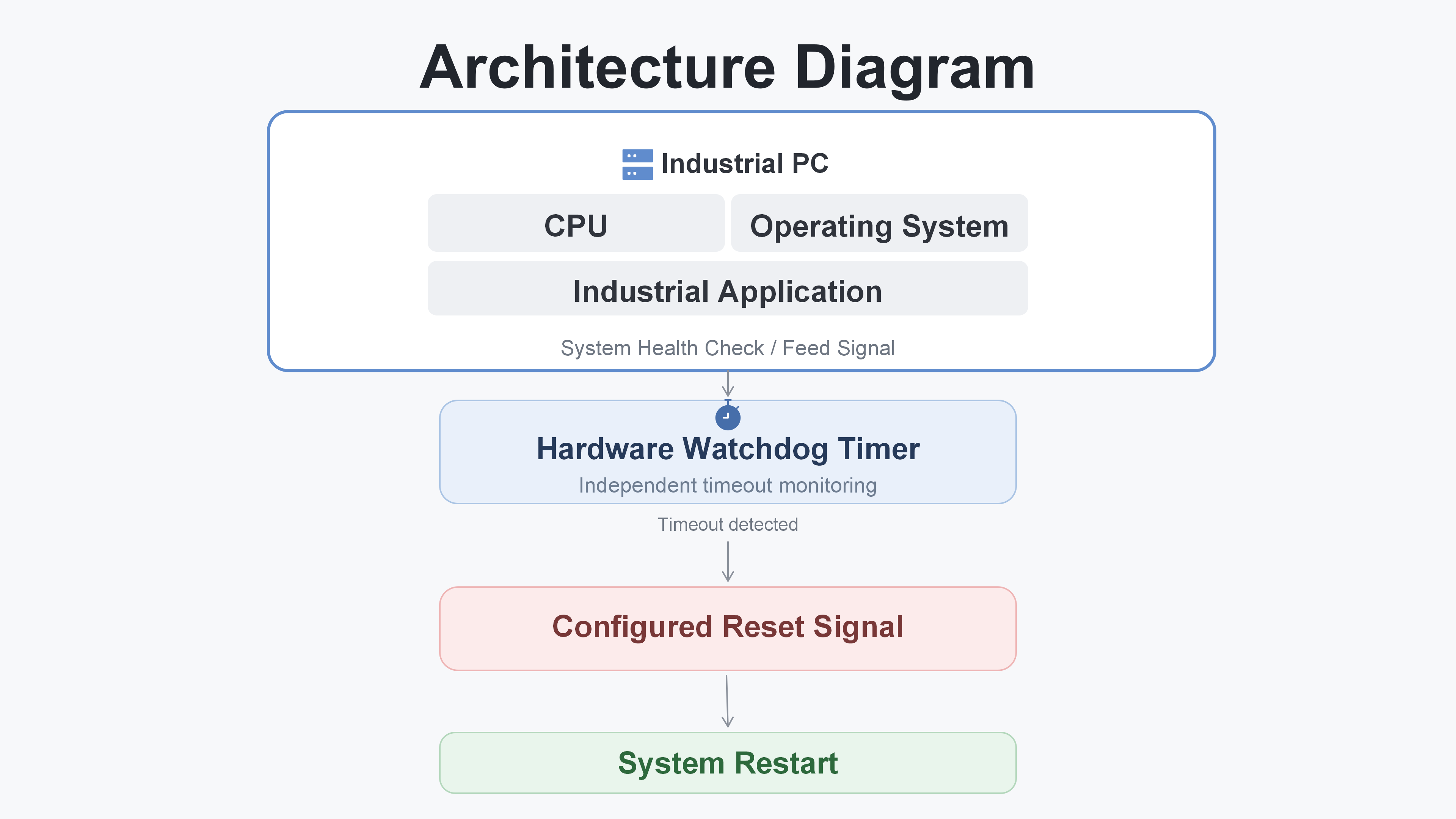
The basic hardware watchdog process follows a repeating cycle: the system sends a feed signal, the timer resets its countdown, and the process continues while the expected signal keeps arriving. If the signal is missed, the timer reaches its timeout condition and may trigger a system reset.
2.1 Normal operation: feeding the watchdog
While the system is operating normally, a designated routine sends the watchdog a signal at an interval shorter than the configured timeout period. The watchdog receives the signal, refreshes its counter and continues monitoring.
The source of the feed signal matters. If a simple timer thread continues running while the main application is already stuck, the watchdog may keep receiving signals even though the application is no longer healthy. A better design links the feed to meaningful application or system health checks, so that a stalled critical task can cause the feed to stop.
The timeout interval also needs to be selected carefully. If it is too short, temporary workload peaks may cause unnecessary resets. If it is too long, the system may take longer to detect a lock-up and begin recovery.
2.2 Fault condition: detecting a timeout
If the system hangs or a critical process stops responding, the watchdog feed may no longer arrive. When the configured time window expires, the hardware watchdog registers a timeout.
The watchdog only knows that the expected signal was not received. It does not identify whether the underlying cause was a software deadlock, a driver issue, a resource problem or another fault. Additional diagnostic tools are needed to investigate the cause.
2.3 Recovery: reset and restart
When a timeout occurs, the watchdog can trigger the reset action supported and configured on that platform. The industrial PC then follows its normal startup sequence. Whether the application resumes automatically depends on the operating system, application startup settings and the wider machine design.
A reset is an attempt to restore operation; it does not repair the original fault. For example, a memory leak, overheating condition or unstable power supply may cause the problem to return after the restart. Automatic system recovery should therefore be understood as a controlled restart response, not a permanent fix.
3. Hardware Watchdog vs. Software Watchdog: Key Differences
Both hardware and software watchdogs monitor system behavior, but they work at different levels.
Dimension | Hardware watchdog | Software watchdog |
Implementation | Timing or monitoring function implemented in hardware | Program or operating-system mechanism |
Monitoring basis | Whether the expected signal arrives within the configured time | Program or operating-system mechanism |
Response to a system lock-up | May trigger a hardware-level reset if the watchdog and reset path remain functional | May stop responding if the software responsible for monitoring also becomes stuck |
Typical use | System-level timeout monitoring and reset | Monitoring applications, services or individual tasks |
Neither approach replaces the other. A software watchdog can monitor specific application states and may restart an individual service without rebooting the whole computer. A hardware watchdog provides another layer when the software responsible for recovery can no longer run. Depending on the application, both mechanisms can be used together.
4. Why Is a Hardware Watchdog Important for Industrial PCs?
4.1 Supporting extended operation
Industrial PCs may operate for extended periods as part of production equipment or remote systems. A watchdog adds a defined response to a missed health signal. When the configured conditions are met, it can initiate a restart without waiting for someone to press the power button.
4.2 Reducing some on-site recovery work
The benefit can be more noticeable when equipment is installed in an unmanned cabinet or at a remote location. If a recoverable system lock-up occurs and the watchdog is correctly configured, the computer may restart locally. This can reduce the need for an immediate site visit, although remote monitoring and maintenance are still important.
4.3 One layer in a wider reliability design
Industrial PC reliability depends on several factors, including stable power, suitable cooling, environmental protection, application error handling and a maintenance plan. A watchdog covers one specific situation: the expected feed signal stops arriving. It does not compensate for poor power quality, blocked ventilation, hardware damage or faults in the controlled equipment.
5. Common Industrial Applications
5.1 Automation equipment control
An industrial PC or SoftPLC may handle sequence logic, drive communication and data exchange with a line controller. If a critical control process becomes unresponsive, a correctly configured watchdog can provide a system-level reset response. Machine safety functions and safe-state handling must still be designed and managed by the appropriate control and safety systems.
5.2 Machine vision inspection
A machine vision station may acquire images, run inspection algorithms and send results to the production line. If a system-level lock-up interrupts image acquisition or processing, watchdog support can provide an additional recovery path by triggering a reset when the feed signal is missed. It does not evaluate image quality, detect a dirty lens or diagnose a camera fault; those tasks belong to the vision application and its monitoring functions.
5.3 Remote monitoring and edge computing
Industrial edge computers collect equipment data and transfer it to local or cloud-based systems. They may be installed in cabinets or facilities with limited access. A hardware watchdog can provide local recovery from certain system lock-ups, while remote alerts and diagnostic tools help maintenance teams understand what happened and decide whether further action is needed.
6. Hardware Watchdog Support in HWAINTEK Industrial PCs
6.1 Watchdog adaptation across HWAINTEK platforms
HWAINTEK industrial PCs support watchdog adaptation for industrial applications, including automation control, machine vision, motion control and edge computing. This provides an additional option for projects that require system-level monitoring and a configured recovery response.
The implementation is platform-dependent. Watchdog enablement, feed methods, timeout settings and reset behavior need to be confirmed for the specific model, operating system and project requirements. Support for watchdog adaptation should not be taken to mean that the function is enabled with the same settings by default on every system.
6.2 Including watchdog behavior in system design
A watchdog should be considered alongside application health checks, machine control logic and safe-state handling. During integration, the project team should define what condition causes the feed to stop, how the timeout is set, what the reset affects and how the application and connected equipment return to a known state.
It is also useful to document the recovery sequence and verify it under controlled test conditions before deployment. This helps ensure that a restart does not create an unexpected machine condition or interrupt a process in an unsafe way.
7. FAQ
7.1 What happens when a hardware watchdog timer expires?
When the expected feed signal does not arrive within the configured time, the watchdog registers a timeout. Depending on the hardware design and configuration, it may trigger a system reset. The industrial PC then follows its normal startup sequence.
7.2 Can a hardware watchdog restart a frozen industrial PC?
It can, provided that the watchdog hardware remains functional, the feed logic and timeout are configured correctly, and the platform supports the required reset action. It cannot recover from every possible failure, such as a complete loss of power or a fault in the watchdog or reset path itself.
7.3 Can a hardware watchdog prevent all system failures?
No. A hardware watchdog detects a missed signal and may initiate a reset. It does not identify or repair the underlying cause of a fault, and it cannot prevent failures in other hardware, software, networks or connected equipment.
7.4 Do HWAINTEK industrial PCs support hardware watchdog timers?
HWAINTEK industrial PCs support watchdog adaptation. The specific implementation, enablement and configuration depend on the platform, operating system and project requirements. The details should be confirmed for the selected model during project integration.
Conclusion
A hardware watchdog timer gives an industrial PC an additional way to respond when its expected health signal stops arriving. By monitoring the feed signal independently of the main operating system, it can trigger a configured reset when a timeout occurs. This can help recover from certain system lock-ups, particularly in equipment that is difficult to access.
A watchdog is not a fault-diagnosis tool or a guarantee against downtime. Its value depends on suitable feed logic, correct configuration and a recovery sequence that works safely with the application and connected equipment. As part of a broader reliability design, watchdog support can help make industrial computer systems more manageable in long-running and remote applications.